Using Git for Version Control on PythonAnywhere

Activity 3
Navigate to the Projects Folder
Use the cd command to go to the projects folder you created earlier.
cd projects
Initialize Git in the Projects Folder
- Initialize Git in your project folder
git init
This will initialize an empty Git repository in the projects folder.
Verify that Git has been initialized by checking the hidden .git folder.
ls -a
You should see the .git folder listed, indicating Git is active in this directory.
Create and Modify a File
Create a new file named project_file.txt
Add the file to the Git staging area
Commit the file to the Git repository
touch project_file.txt
git add project_file.txt
git commit -m "Initial commit: add project_file.txt"
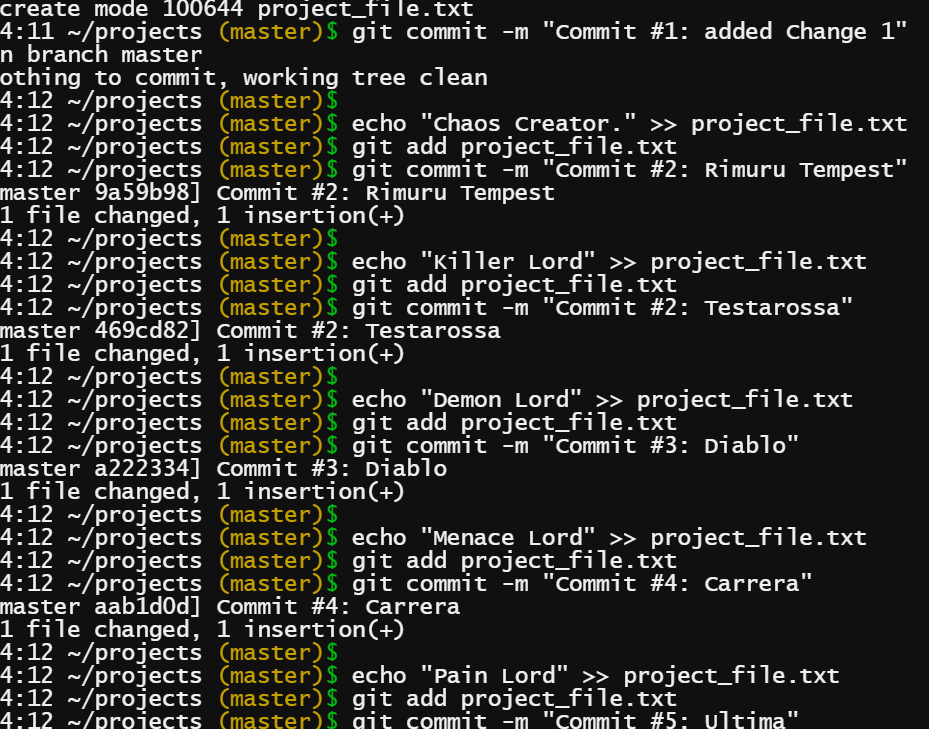
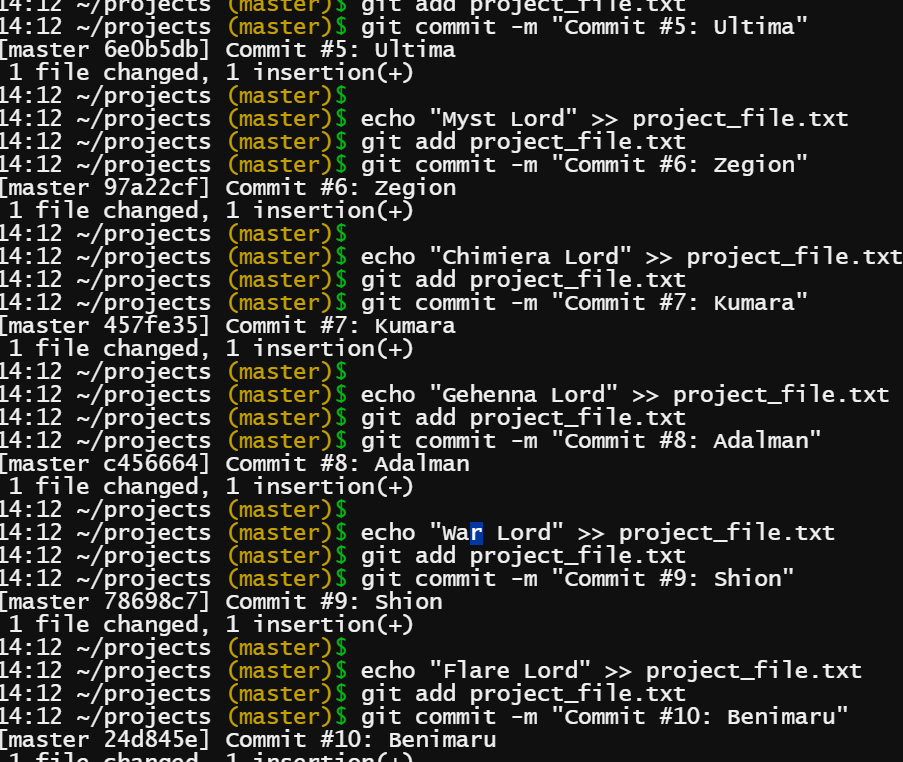
Modify and Commit the File 10 Times
Next, you'll make changes to the file and commit each change. Follow this process to commit changes 10 times.
Modify the file
Add the changes to the Git staging area
Commit the changes
Add a Remote Repository on GitHub
- Go to GitHub and create a new repository.

Copy the remote repository URL (from GitHub) and link it to your local repository.
https://github.com/RomelUsigan/Version_Control_System_on_Linux_Using_Git.git
Push the Code to GitHub
- Push the local commits to the remote repository on GitHub.
git push -u origin master
2. Verify the push by going to your GitHub repository and checking that all the commits are visible.
https://github.com/RomelUsigan/Version_Control_System_on_Linux_Using_Git/blame/24d845e38aa535dc00b1c1ead8d83f92a7bc8832/project_file.txt


